

What Seedream 5.0 Lite is good at
- Web-connected retrieval: The model pulls from live web data during generation, allowing creations to be tied to real-world trends, current events, and up-to-date knowledge
- Smarter instruction following: Handles complex, multi-step instructional prompts far more reliably. Multi-image inputs, local editing instructions, and batch style requests all land closer to the intended output
- Stronger consistency: Character identity, product appearance, style, and lighting all hold up much better across a set of generated images
- Deeper world knowledge: Expanded knowledge base makes the model useful for technical illustration, educational diagrams, and knowledge-heavy creative work
Example outputs
Multi-step local editing, following several boxed instructions in one pass: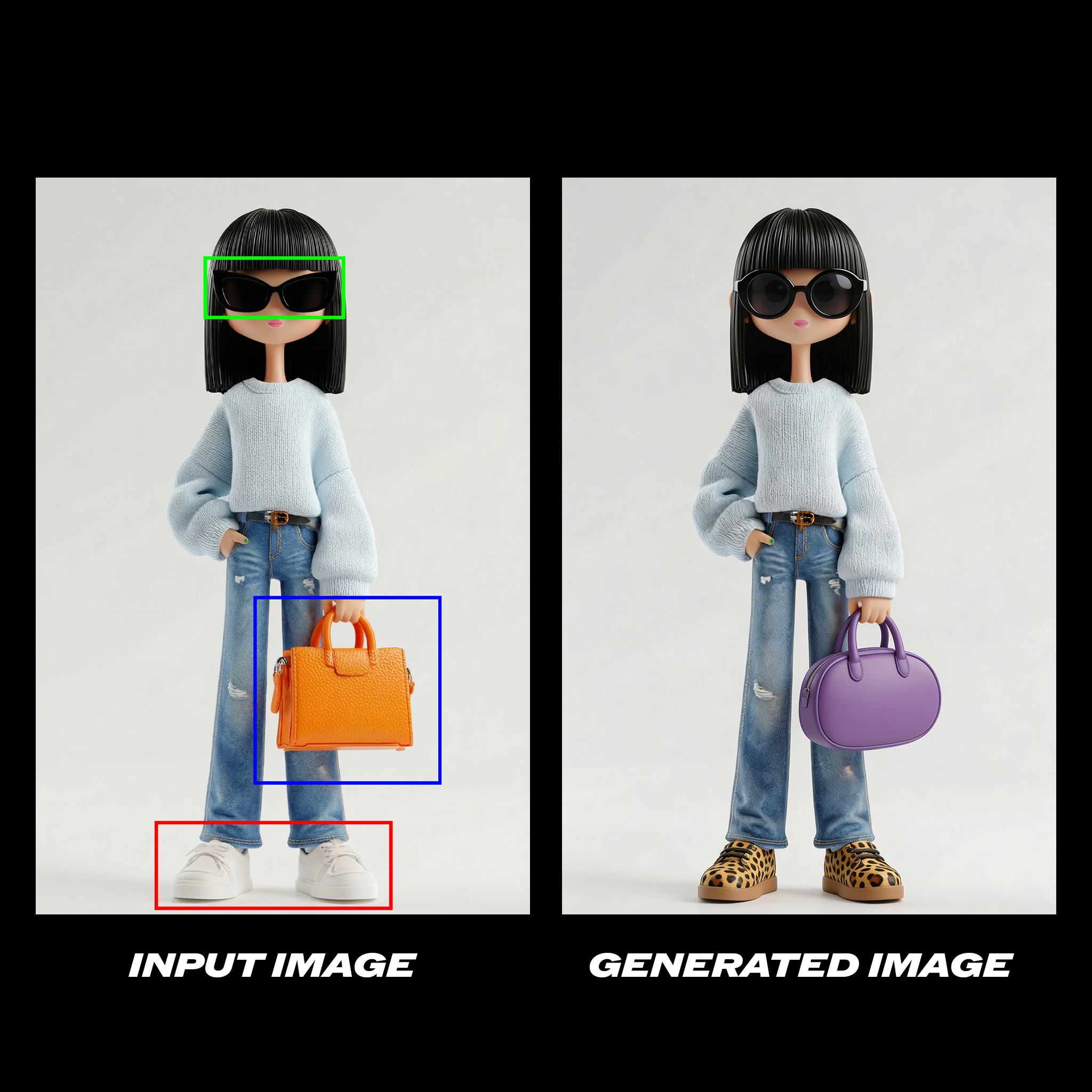 Change the glasses in the green box to circular lenses, the orange purse in the blue box to a purple oval purse, and her shoes in the red box are patterned with leopard print.
Style transfer between two images:
Change the glasses in the green box to circular lenses, the orange purse in the blue box to a purple oval purse, and her shoes in the red box are patterned with leopard print.
Style transfer between two images:
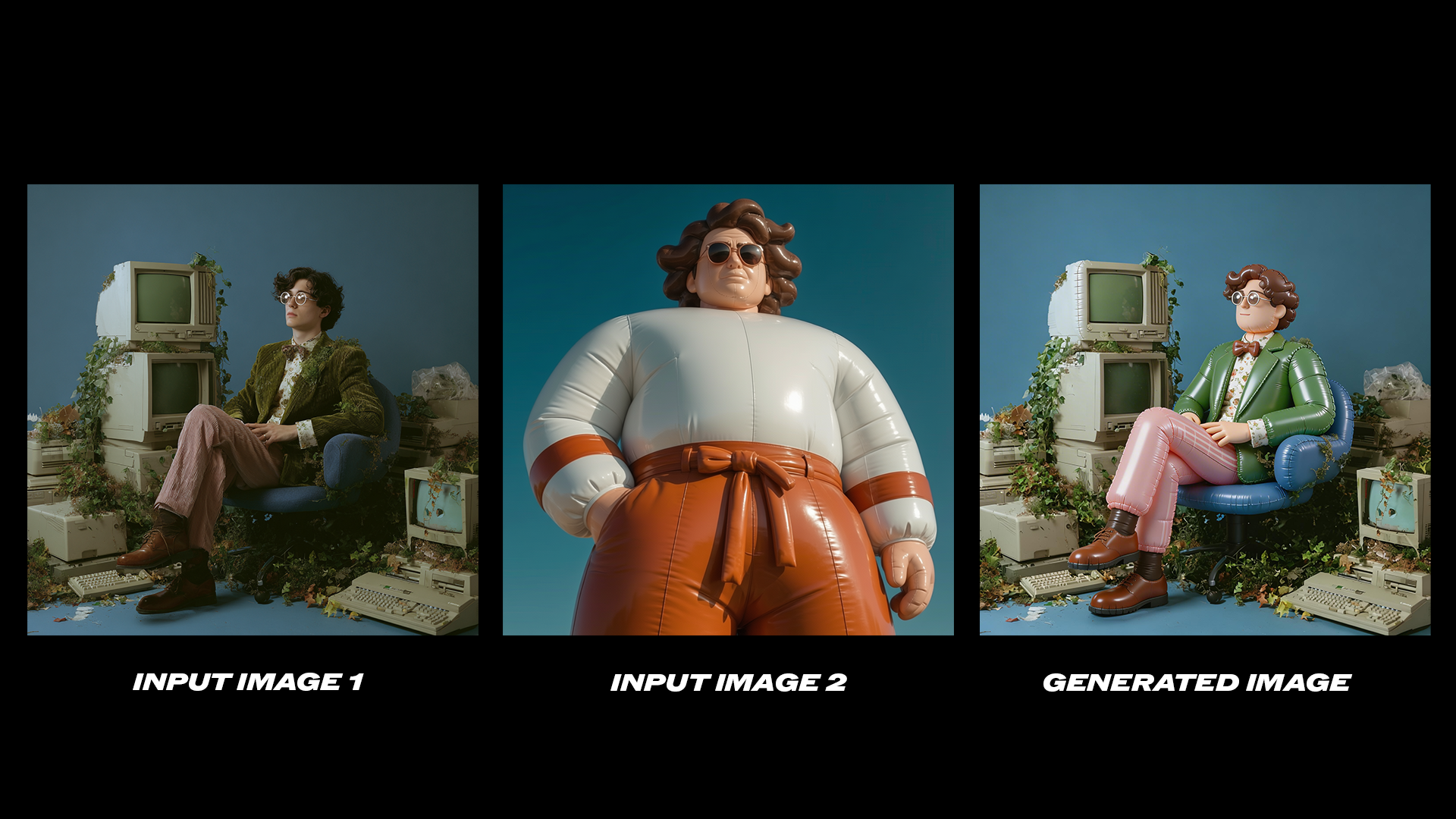 Refer to the second image and change the style of the first picture to match that of the second image.
Product consistency across a batch of generated photos:
Refer to the second image and change the style of the first picture to match that of the second image.
Product consistency across a batch of generated photos:
 Using the bottle from the reference image, generate six product photos in different seasonal settings. Consistent bottle design across all six.
Knowledge-heavy text-to-image generation:
Using the bottle from the reference image, generate six product photos in different seasonal settings. Consistent bottle design across all six.
Knowledge-heavy text-to-image generation:
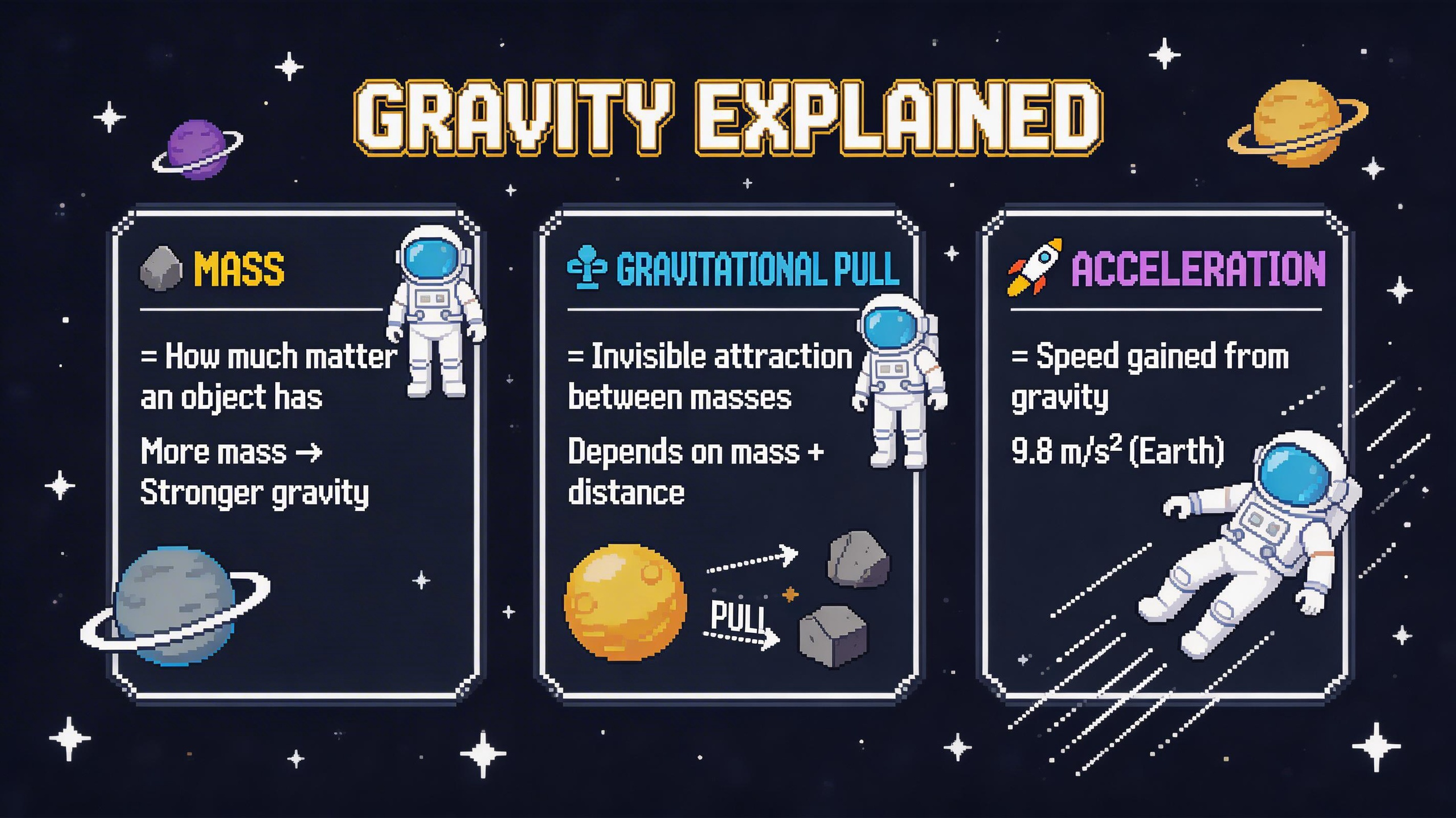 Pixel art infographic for explaining gravity, rendered in crisp 16-bit style with a dark navy/charcoal background and bold cinematic palette tones.
Use it in ComfyUI
Seedream 5.0 Lite workflows
Run the image edit and text-to-image workflows in ComfyUI, locally or on Comfy Cloud